Terminal screen
Used for sending commands to the device via a command line.
Notice
When typing commands, watch the number of spaces between commands - too many spaces can cause the command to be evaluated incorrectly.
The keyword help prints a list of basic commands.
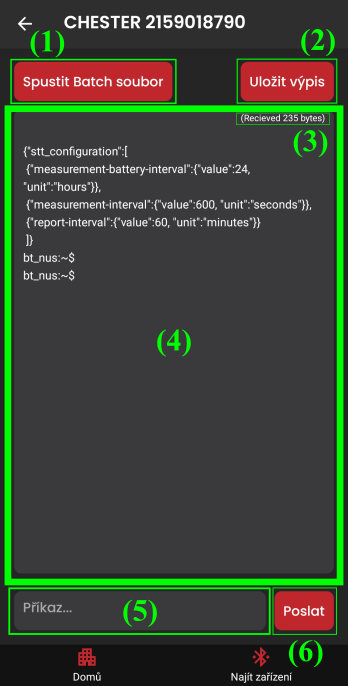
example of the help command
- Run commands from a batch file (1)
- opens a file picker for a file that contains commands, which are executed one after another
- commands are separated by
;
- Export the console output (2)
- the file is saved to the "Downloads" directory
- Number of bytes received from the device = message volume (3)
- Console output from the device (4)
- Input for typing a command (5)
- Send the command (6)