Images management
Manage images for two object types:
- Construction
- Measurement Point
Images can show the current physical state, device placement, wiring, documentation excerpts, or schematic views. They can also appear in the Construction View where supported.
Add or remove images
- Open Edit (Construction or Measurement Point)
- Click Manage Images
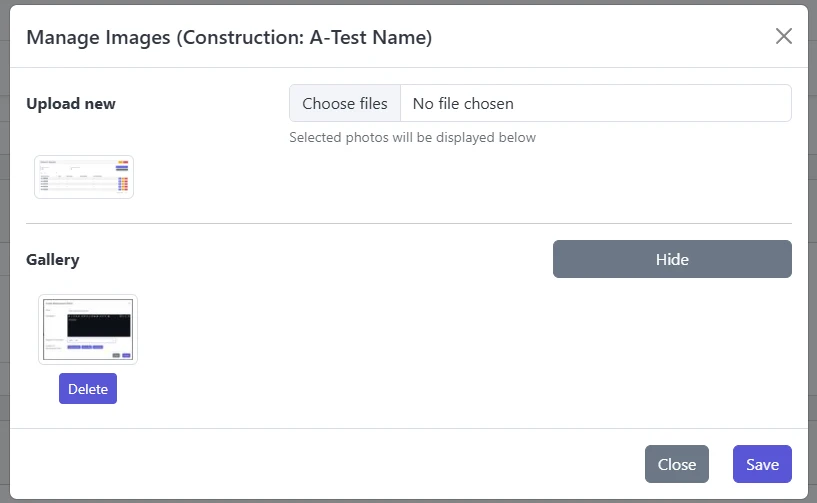
- In the dialog:
- Choose files to upload
- Review the pending list (click to remove before upload)
- See existing gallery and remove any no longer needed
- Confirm to apply changes
info
Removed images are no longer shown in the portal. This does not affect measurement data.
Soft-delete context
Image removal is permanent for user access. Constructions and Measurement Points themselves follow soft-delete (see Constructions overview).
Tips
- Upload clear contextual photos (device labels, measurement point marking, orientation)
- Prefer schematic images (simple diagrams) for wiring clarity
- Keep gallery lean; remove outdated or redundant images